Free column graph maker
Design stunning, interactive column graphs that highlight your data’s story in seconds — no design skills needed.








Column graph templates
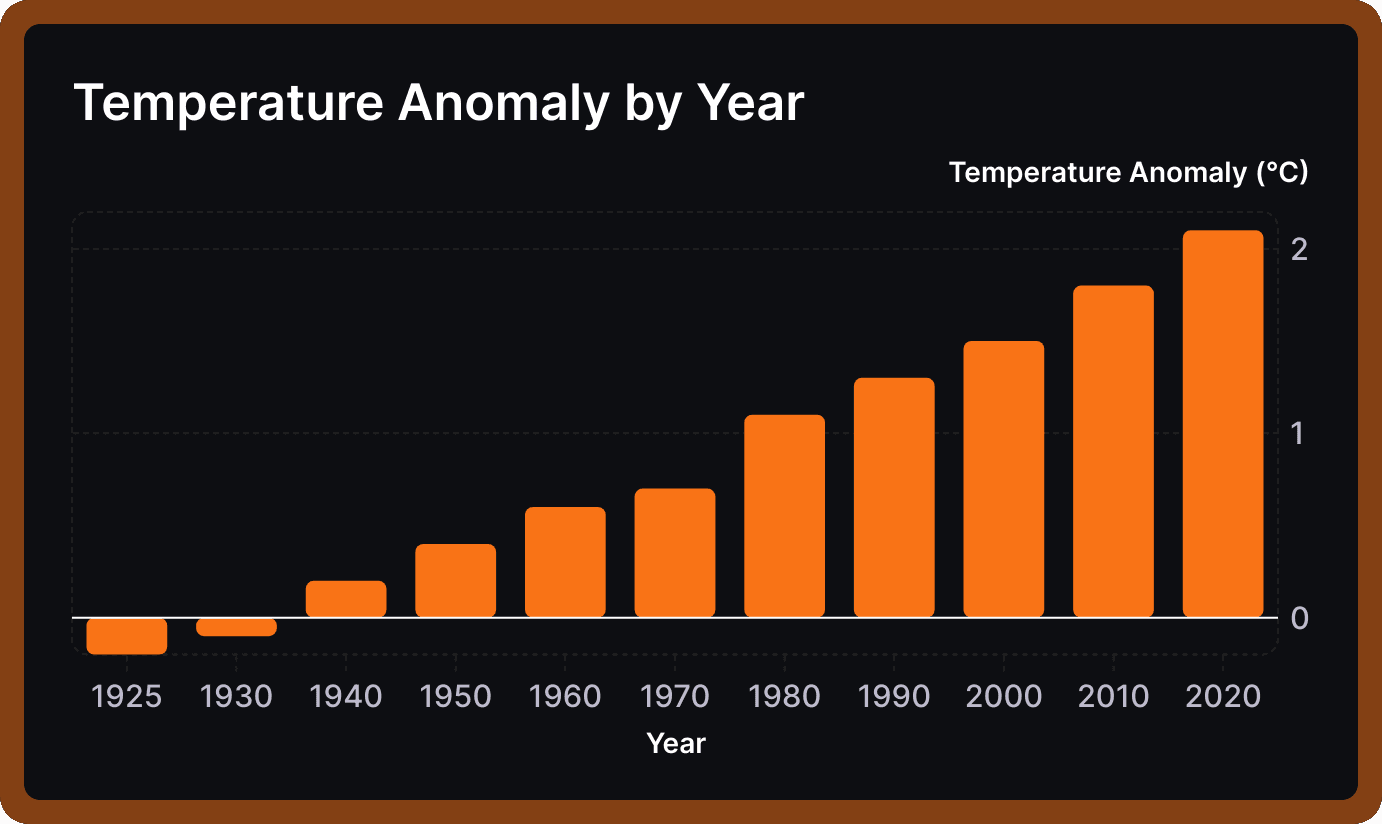
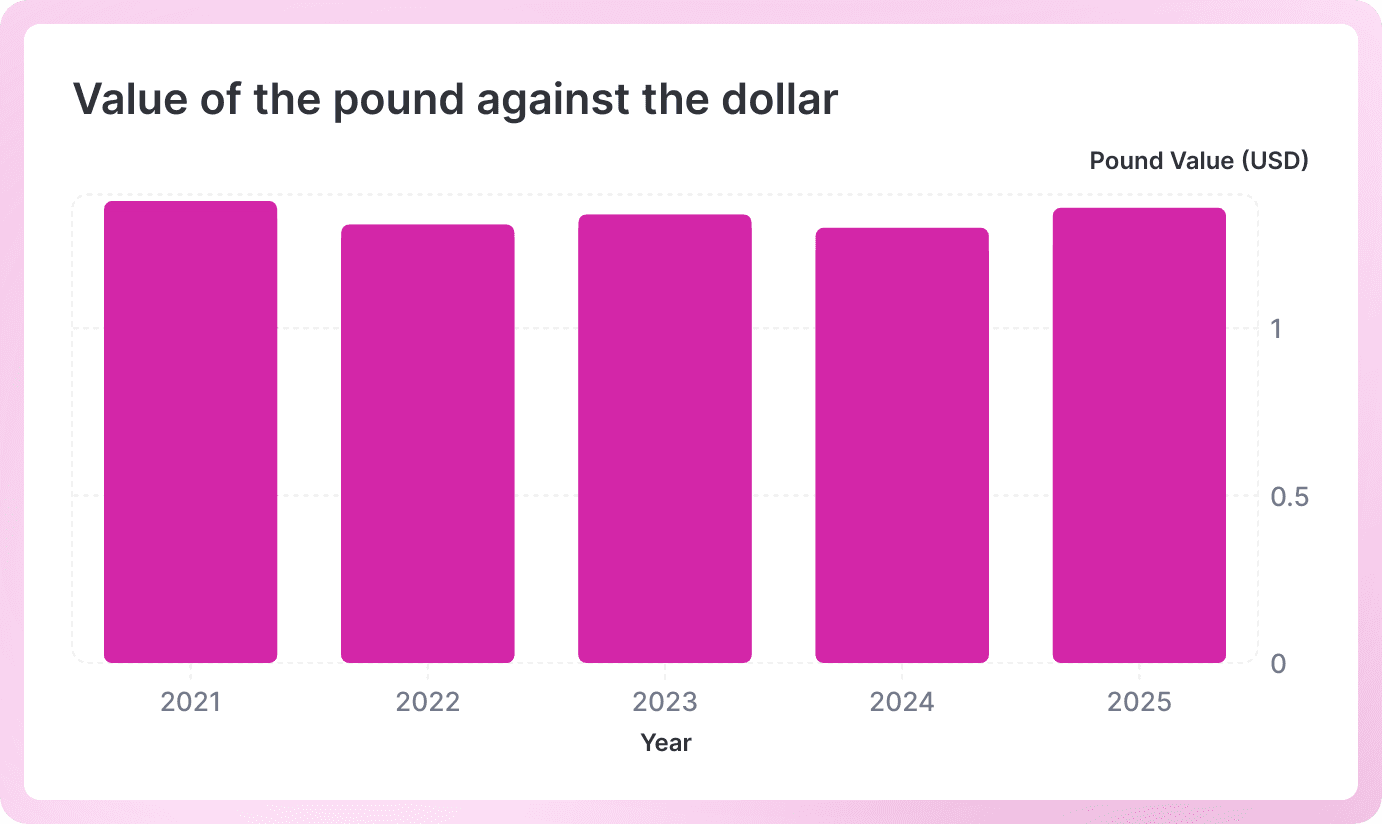
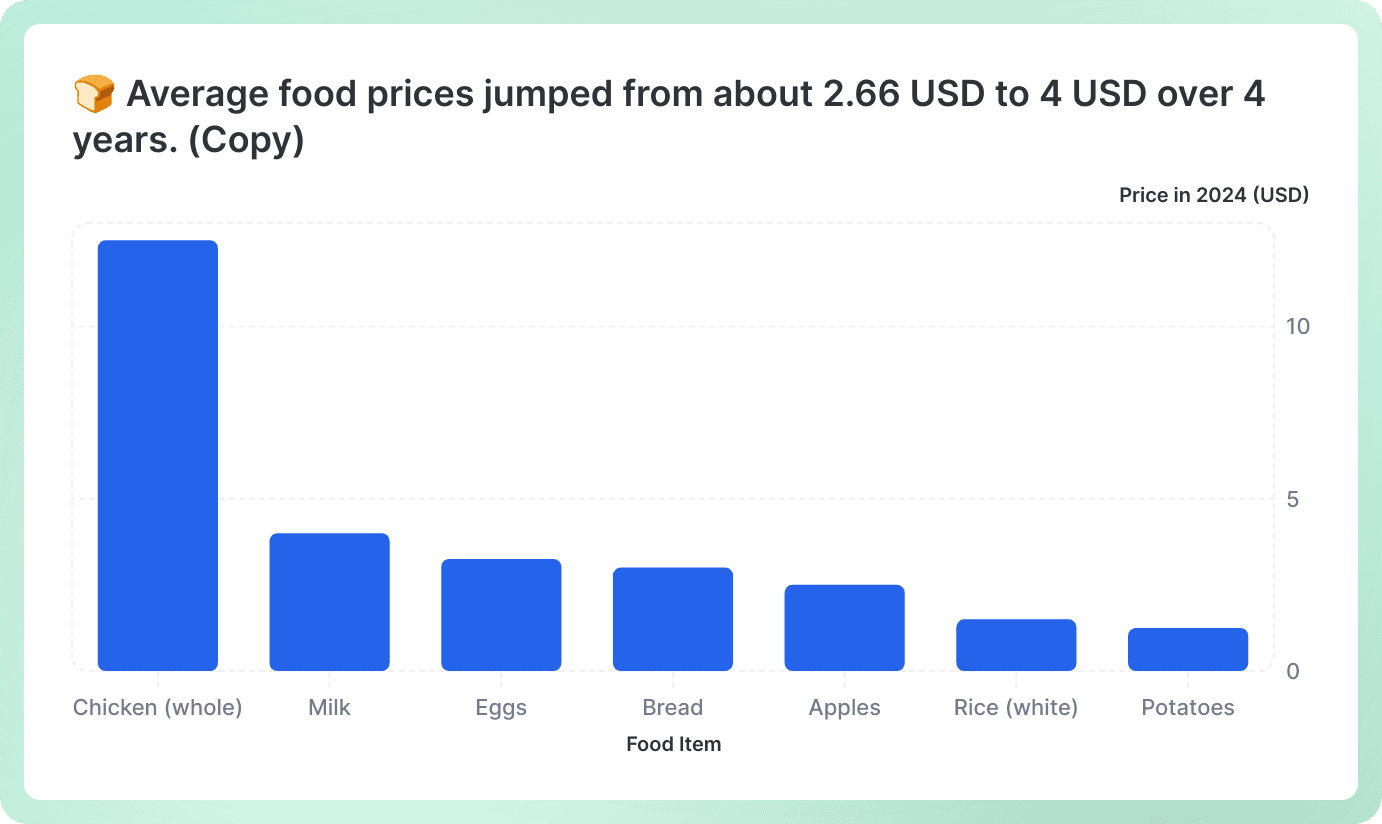
Start with one of our pre-made palettes or create a column graph from scratch.






























FAQ
When should you use a column graph?
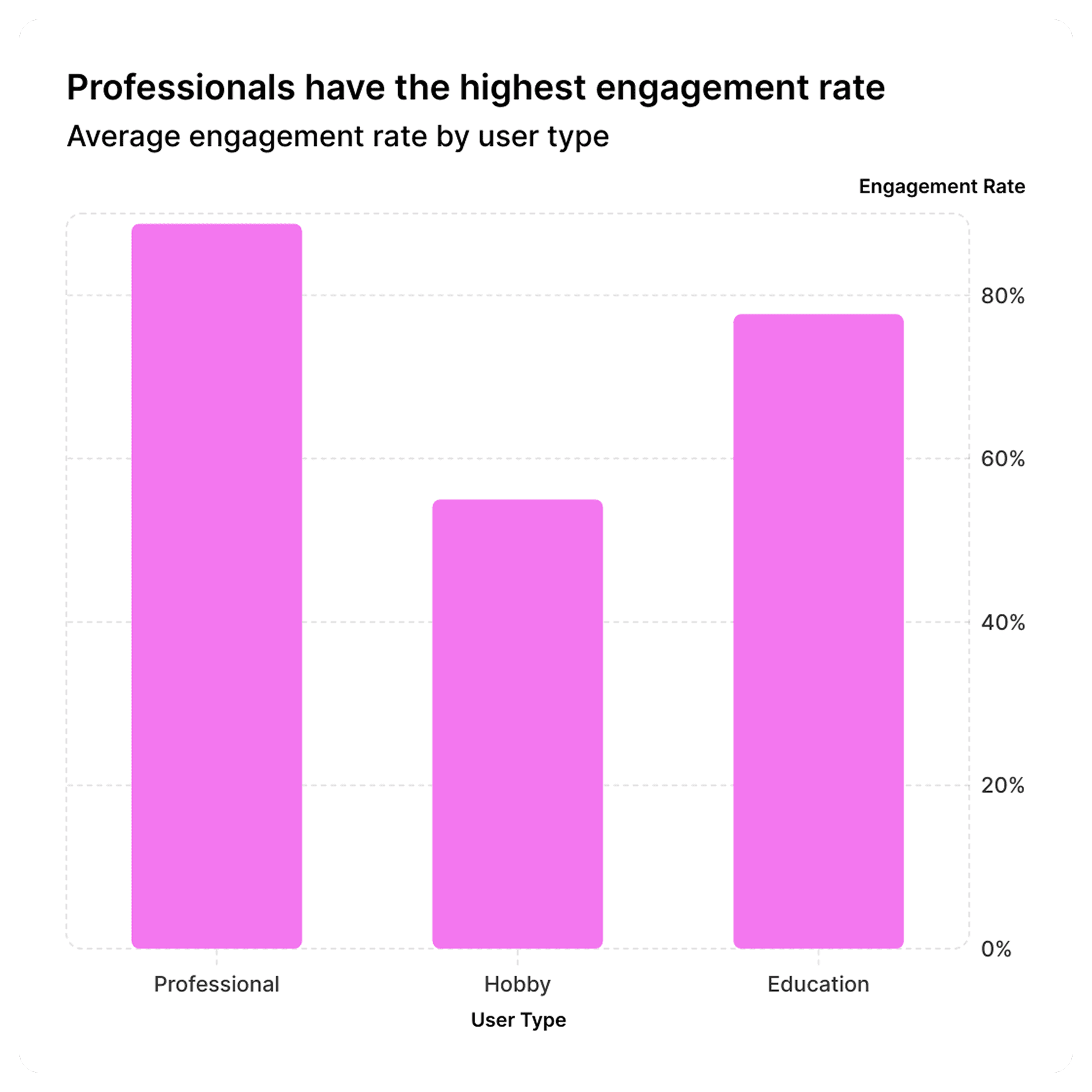
Column graphs are perfect when you want to compare different categories or show how something changes over time. Think of them as your go-to choice when you have distinct groups to compare - like sales figures across different months, survey responses by age group, or performance metrics between teams. They're especially great when you have a moderate number of categories (usually 2-12) and want your audience to quickly spot differences and trends. If you're looking to create professional column graphs that really pop, Graphy makes it super easy to build beautiful, actionable charts that help drive decisions and keep everyone aligned.
What is the difference between a bar graph and a column graph?
The main difference is simply orientation! Column graphs have vertical bars that go up and down, while bar graphs have horizontal bars that go left to right. It's really that straightforward - they show the same type of information, just rotated. You'll typically see column graphs when categories are short (like months or product names) and bar graphs when you have longer category labels that would be cramped if written horizontally.
What is another name for a column graph?
Column graphs are also commonly called "column charts," "vertical bar charts," or simply "bar charts" (though technically bar charts are horizontal). Some people also refer to them as "column plots" in more technical contexts. The terms are pretty much interchangeable in everyday use - most people will know what you mean regardless of which name you use.
What are column graphs best used for?
Column graphs shine when you need to compare quantities across different categories or track changes over time periods. They're fantastic for showing things like monthly sales figures, survey results by demographic, budget allocations across departments, or performance metrics over quarters. They work best when you want viewers to easily compare heights and spot patterns, trends, or outliers at a glance.
How do you interpret a column chart?
Reading a column graph is pretty intuitive - just look at the height of each column! The taller the column, the higher the value. Start by checking the vertical axis (y-axis) to understand what's being measured and the scale, then look at the horizontal axis (x-axis) to see what categories you're comparing. Compare column heights to spot which categories are highest or lowest, look for patterns or trends if the data is over time, and pay attention to any significant differences between columns.
Do column graphs have gaps?
Yes, column graphs typically have gaps between the columns, and that's actually important! These gaps help separate each category visually, making it clear that you're looking at distinct, separate groups rather than continuous data. The gaps make the chart easier to read and prevent the columns from blending together.
Can I create a column graph with code instead of the visual editor?
Yes. With Graphy's chart API you can describe your column graph in code (your data plus how you want it to look) and render it in your own app. Don't want to write that yourself? Just describe the column graph you want in plain English to our Agents API, and it'll generate it for you, ready to render.