Free waterfall chart maker
From messy data to beautiful graphs in a click.
Graphy is the fastest way to tell stories with data.








Waterfall chart templates
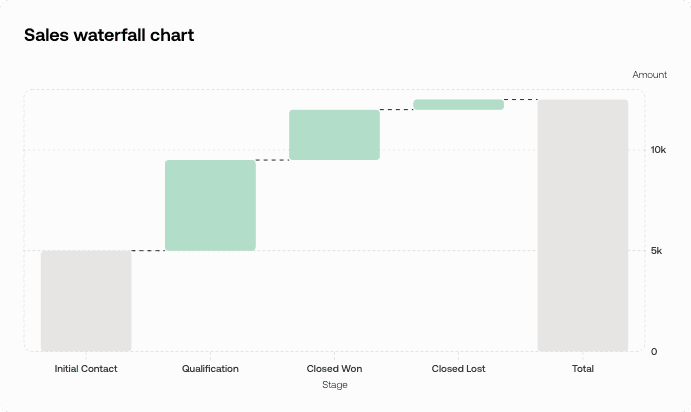
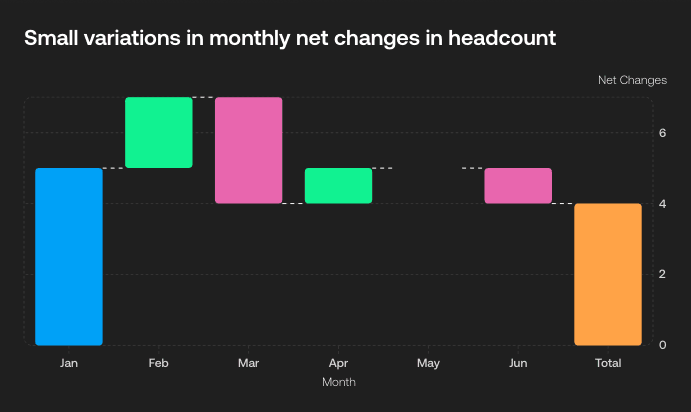
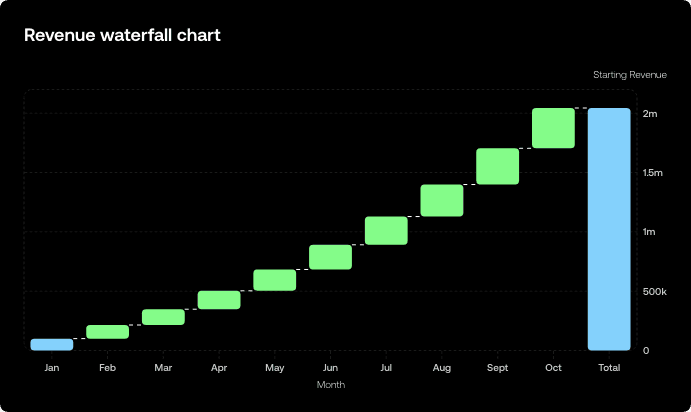
Start with one of our pre-made palettes or create a waterfall chart from scratch.





























FAQ
What industries use waterfall charts often?
Waterfall charts are most commonly used in finance and accounting, where they help visualize how an initial value changes through a series of additions and subtractions - like tracking quarterly revenue changes or budget variances. Consulting firms also rely heavily on waterfall charts to show clients how different factors contribute to business performance changes. Other industries that frequently use them include retail (for inventory analysis), manufacturing (for cost breakdowns), and project management (for timeline and budget tracking).
What is another name for a waterfall chart?
A waterfall chart is also commonly called a bridge chart or cascade chart. Some people refer to them as flying brick charts due to their distinctive floating bar appearance. In financial contexts, they're sometimes called variance charts when used to show differences between planned and actual results. All these terms describe the same type of visualization that shows how sequential positive and negative values affect an initial value.
Does Excel have a waterfall chart?
Yes, Excel has had built-in waterfall charts since Excel 2016. You can find them under the "Insert" tab in the Charts section, labeled as "Waterfall." However, Excel's waterfall charts can be pretty basic and time-consuming to format properly. If you want to create stunning, professional-looking waterfall charts without the Excel hassle, Graphy is a game-changer. With Graphy's AI-powered chart maker, you can upload your data and get beautiful, customized waterfall charts in seconds - no more wrestling with Excel's limited formatting options.
What are the limitations of waterfall charts?
Waterfall charts work best with sequential data but can be confusing when you have too many categories (more than 8-10 data points become hard to follow). They're not great for showing proportional relationships like pie charts do, and they can be misleading if the scale doesn't start at zero. Another limitation is that they don't handle negative starting values well, and complex data with multiple variables can make the chart cluttered and difficult to interpret. They're also not ideal for showing trends over time compared to line charts.Retry
Can I create a waterfall chart with code instead of the visual editor?
Yes. With Graphy's chart API you can describe your waterfall chart in code (your data plus how you want it to look) and render it in your own app. Don't want to write that yourself? Just describe the waterfall chart you want in plain English to our Agents API, and it'll generate it for you, ready to render.